AI Outdoor Snow Christmas Pet Photo
Updated 2026-09-16 · PiXmas Editorial Team
Quick answer: An AI outdoor snow Christmas pet photo is created by uploading a picture of your pet to an app like PiXmas, which places them in a snowy holiday scene such as a winter forest, snow-covered yard, or festive village. The AI keeps your pet's features recognizable while adding snow, string lights, and Christmas props automatically.
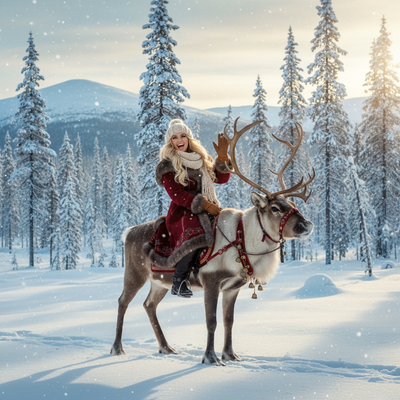
What Is an AI Outdoor Snow Christmas Pet Photo?
It is a portrait of your dog, cat, or other pet placed into a snowy outdoor holiday setting using AI image generation.
Instead of hauling a pet outside in real snow, you upload one photo and the AI builds the scene around them.
Results can include falling snow, pine trees, string lights, or a snowy porch backdrop.
How Do You Create One?
PiXmas turns a single pet photo into an outdoor snow Christmas scene in a few steps.
- Open PiXmas on your phone browser or the iOS app.
- Upload one clear photo of your pet's face.
- Choose a snowy outdoor style from the pet or Santa scene categories.
- Let the AI generate several snow-scene variations.
- Download your favorite in high resolution.
The web version works on Android phones through the browser, and a native Android app is coming.
What Makes a Good Source Photo?
Use a photo where your pet's face is clearly visible and well lit.
Front-facing shots work better than side angles or photos with other pets crowding the frame.
Avoid blurry photos, since the AI needs clear detail to keep your pet looking accurate in the finished scene.
What Snow Scene Styles Are Available?
PiXmas offers a wide range of outdoor winter looks within its library of 800+ styles.
Popular options include snowy forests, a pet sitting by a decorated outdoor tree, snow-dusted rooftops, and cozy cabin porches with falling snow.
You can generate multiple styles from the same source photo to compare which scene suits your pet best.
How Does This Compare to Other Pet Photo Options?
| Method | Setup Needed | Weather Dependent | Time to Result |
|---|---|---|---|
| Real outdoor snow photoshoot | High, needs actual snow and good weather | Yes | Hours, plus travel |
| Studio pet photographer with snow backdrop | Medium, requires booking and travel | No | Days for edited photos |
| PiXmas AI snow scene generator | Low, just one existing photo | No | Minutes |
Limitations
AI-generated snow scenes are stylized interpretations, not literal photos of your pet standing in real snow.
Pets with unusual fur patterns, multiple colors, or accessories like collars may render slightly differently than expected.
Group photos with more than one pet can be harder for the AI to process accurately compared to single-pet uploads.
Why Choose PiXmas for This?
PiXmas is built specifically for turning ordinary phone photos into holiday-themed portraits, including outdoor snow scenes for pets.
With hundreds of styles and a simple upload-to-download workflow, it removes the need for a real snowy location or a professional photographer.
The Pixmas web app also runs on Android browsers today, so most phone users can try it immediately.
If you want an outdoor snow Christmas photo of your pet without waiting for real snow or booking a photographer, PiXmas offers the fastest path from one phone photo to a finished holiday scene.
Frequently asked questions
Can I use a photo of my cat instead of a dog?
Yes. The AI works with any pet photo where the face is clearly visible, including cats, dogs, rabbits, and other pets. Snow scene styles are not limited to a specific animal type.
Does the AI show my pet actually standing in snow?
PiXmas generates a stylized scene where your pet appears placed within a snowy outdoor setting. It is an AI reconstruction rather than a literal photo, so exact snow texture and lighting will look artistic rather than photographic.
How many snow styles can I try with one photo?
You can generate multiple outdoor snow styles from a single uploaded pet photo. PiXmas offers 800+ total styles, with several dedicated to snowy and outdoor winter themes.
Will this work on my Android phone?
Yes, the PiXmas web app works in Android browsers today. A native Android app is coming soon for users who prefer an installed app experience.
What if my pet has multiple colors or patterns?
The AI generally handles varied fur patterns well, though highly complex markings may render slightly differently than the original. Using a clear, well-lit source photo improves accuracy.
Can I print the finished snow photo as a card?
Yes. PiXmas exports high-resolution images suitable for printing as holiday cards, gifts, or framed photos once you have downloaded your favorite snow scene result.