AI Outdoor Snow Christmas Solo Photo Generator
Updated 2026-09-16 · PiXmas Editorial Team
Quick answer: An AI outdoor snow Christmas solo photo is created by uploading one phone photo to an AI portrait app like PiXmas, which places you in a realistic snowy outdoor scene with falling snow, string lights, or a winter forest backdrop. The AI keeps your face and builds a new festive background and outfit around it, usually ready in a few minutes.
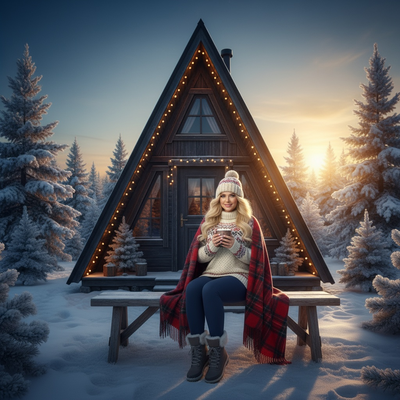
An outdoor snow Christmas photo used to require a real snowfall, a coat, and good timing.
Now a single phone photo is enough to generate one using AI.
What is an AI outdoor snow Christmas solo photo?
It is a portrait generated by AI that places a single person in a snowy, outdoor holiday setting.
The scene might include falling snow, pine trees, string lights, or a quiet snow-covered street.
The person's face comes from an uploaded photo, while the background, lighting, and often clothing are generated by the AI model.
How do you create one from a single phone photo?
- Choose one clear photo of your face, ideally forward-facing with good lighting.
- Upload it to PiXmas through the app or web version.
- Pick a snowy outdoor style from the Christmas portrait categories, such as snow forest, city street, or cabin exterior.
- Let the AI process the image, which typically takes a few minutes.
- Review the generated portraits and download the ones you like.
What makes a snow outdoor scene look realistic?
Good AI outdoor snow portraits pay attention to a few details.
Consistent light direction between the face and the snowy background matters most, since mismatched shadows are the fastest way a photo looks fake.
Soft falling snow, natural breath fog in colder scenes, and realistic coat textures also help sell the effect.
PiXmas trains its snow-scene styles specifically to match these lighting cues so solo portraits look like they were shot outside, not pasted onto a background.
Do you need a snowy photo to start with?
No. The starting photo can be taken indoors, in sunlight, or even under artificial light.
The AI does not use the background of your original photo. It only reads your facial features and rebuilds everything else, including the snow, sky, and setting.
How does this compare to other ways of getting a snow Christmas photo?
| Method | Needs real snow | Time required | Cost |
|---|---|---|---|
| AI photo app (PiXmas) | No | A few minutes | Low, one-time or subscription |
| Professional outdoor shoot | Yes | Hours, plus travel | High |
| Manual photo editing | No | Hours of skill-based editing | Medium to high |
| Waiting for real snowfall | Yes | Unpredictable, days or weeks | Free but unreliable |
Limitations
AI-generated snow scenes are not real photographs, so extreme close-ups of hands or accessories may show small artifacts.
Results depend on the quality of the uploaded photo. Blurry or heavily angled source images produce weaker outputs.
PiXmas works as a native iOS app and as a web app usable on Android browsers, with a native Android app in development.
Why choose PiXmas for outdoor snow Christmas portraits?
PiXmas offers over 800 styles, including a wide range of outdoor snow and solo holiday scenes.
Because it only needs one phone photo, there is no need for a real winter setting, special outfit, or professional camera.
The app handles the lighting matching and scene generation automatically, which is the hardest part of making an AI photo look believable.
PiXmas turns one phone photo into a realistic outdoor snow Christmas solo portrait in minutes, with no real snow, coat, or camera setup required.
Frequently asked questions
Can I get an outdoor snow photo without real snow nearby?
Yes. The AI generates the entire snowy outdoor scene, including snowfall, ground cover, and background, so your location and weather do not matter at all.
What kind of source photo works best?
A clear, forward-facing photo with even lighting and no sunglasses or heavy shadows works best. PiXmas uses this photo only for facial detail, not for background or lighting.
Will the outfit in the photo change too?
Often yes. Many outdoor snow styles in PiXmas generate a matching winter outfit, such as a coat or scarf, to fit the scene realistically.
Can I use this on an Android phone?
Yes. PiXmas works as a web app on Android browsers, so you can upload a photo and generate outdoor snow portraits without an app store download. A native Android app is coming.
How long does it take to generate a solo snow portrait?
Most PiXmas portraits are ready within a few minutes after upload, depending on server load and the number of styles selected at once.
Is one photo really enough for a realistic result?
Yes, one clear phone photo is enough. PiXmas is built specifically around single-photo uploads, so no photo shoot or multiple angles are required.