AI Outdoor Snow Christmas Couple Photos
Updated 2026-09-16 · PiXmas Editorial Team
Quick answer: An AI outdoor snow Christmas couple photo is a portrait generated from a real photo of you and your partner, placed into a snowy winter scene with festive lighting and holiday styling. PiXmas creates these from a single phone photo in minutes, offering over 800 styles including romantic outdoor snow scenes, without needing a real snowy location or a photographer.
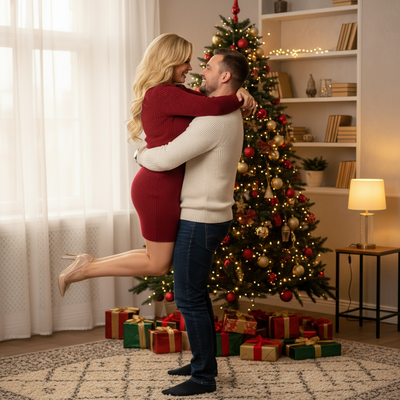
What Makes an Outdoor Snow Christmas Couple Photo Work?
A good snowy couple photo depends on soft natural light, warm color contrast, and a pose that feels close and relaxed.
Real outdoor winter shoots are hard to plan. Weather, cold hands, and matching outfits rarely cooperate at the same time.
AI outdoor snow Christmas couple photos solve this by generating the scene, lighting, and snow texture around a photo you already have.
How Do You Create One With PiXmas?
PiXmas turns a single phone photo into a full snowy couple portrait using its style engine.
- Upload one clear photo of you and your partner, facing the camera.
- Choose an outdoor snow Christmas style from the couple category.
- Let the AI generate the scene, adjusting lighting, snowfall, and background.
- Review a few variations and pick the one that feels most natural.
- Download the final image or set it as a wallpaper.
The whole process usually takes a few minutes from upload to finished portrait.
What Styles Work Best for Snowy Couple Portraits?
Some styles suit couples better than others, depending on mood and setting.
| Style | Best For | Mood |
|---|---|---|
| Snowy forest path | Candid, walking pose photos | Cozy and quiet |
| String-lit town square | Close-up couple portraits | Warm and festive |
| Fresh snowfall backdrop | Simple, minimal photos | Soft and romantic |
| Cabin porch at dusk | Seated or embracing poses | Intimate and warm |
PiXmas includes multiple versions of each style, so you can pick the one that matches your original photo's angle and lighting.
Why Choose an AI Photo Over a Real Outdoor Shoot?
A real snowy couple shoot needs planning, good weather, and often a paid photographer.
PiXmas removes those steps entirely, using one existing photo instead of an outdoor session.
This makes it a practical option for couples who want a romantic Christmas photo without scheduling a shoot in the cold.
Limitations
AI-generated snow scenes work best with a clear, well-lit source photo of both people.
Very low-quality or heavily cropped photos can produce softer detail around hands and hair.
Results are stylized portraits, not real photographs, so exact snow texture and lighting will vary slightly between generations.
For couples who want a romantic outdoor snow Christmas photo without a real winter shoot, PiXmas offers a fast, low-effort way to get there. One phone photo, a chosen style, and a few minutes are enough to produce a warm, festive couple portrait ready for sharing or use as a wallpaper.
Frequently asked questions
Do we need a real snowy photo to start?
No. You only need one clear photo of both people, taken anywhere, indoors or outdoors. The AI adds the snow, lighting, and outdoor Christmas setting during generation, so no winter location is required beforehand.
Does this work on both iPhone and Android?
PiXmas has a native iOS app and a web version that works in Android browsers, so couples on either platform can generate photos today. A native Android app is coming soon for an even smoother experience.
Can we use the photo as a phone wallpaper?
Yes. PiXmas lets you download finished couple portraits in wallpaper-ready sizing, so you can set the snowy Christmas scene directly as your lock screen or home screen background after generation.
How long does it take to generate a couple photo?
Most PiXmas generations complete within a few minutes after uploading a photo and selecting a style. You can review multiple outdoor snow variations quickly before choosing a final favorite.
Can styled Christmas photos be printed clearly?
Yes, styled Christmas photos can print clearly when the final file has sufficient resolution for the chosen print size. Review the image at high magnification for distorted faces, hands, fur, text, ornaments, and background patterns. Use the printer’s recommended color profile and crop ratio when available. Order a proof before purchasing cards or large prints in quantity.
What are the limits of changing a Christmas photo style?
Style changes cannot reliably repair every problem in the original photograph. Heavy blur, hidden faces, extreme shadows, low resolution, cropped limbs, and overlapping subjects may produce distorted or inconsistent results. Complex group scenes are generally harder than solo portraits. Styling can change clothing, scenery, lighting, and mood, but it may not preserve every identity detail or physical feature perfectly.