AI Candy Pink Pastel Christmas Solo Photo
Updated 2026-09-16 · PiXmas Editorial Team
Quick answer: A candy pink pastel Christmas solo photo is an AI-generated portrait using soft pink tones, pastel snow, and dreamy holiday lighting instead of traditional red and green. With PiXmas, upload one phone photo and the app applies this pastel Christmas style to create a solo AI Christmas portrait in minutes, ready for cards, wallpapers, or social posts.
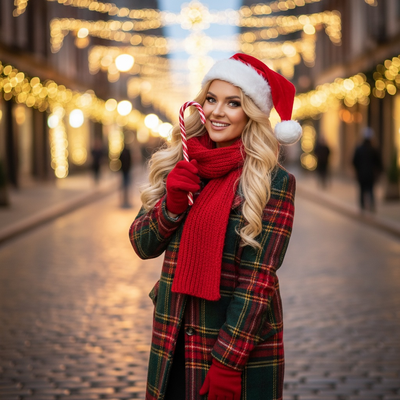
What is a candy pink pastel Christmas solo photo?
It is an AI-styled portrait that swaps classic Christmas red and green for soft candy pink and pastel tones.
Think blush-toned snow, pastel string lights, cotton-candy skies, and gentle pink gift wrapping in the background.
It works especially well as a solo portrait style because the soft palette flatters skin tones and creates a whimsical, editorial holiday look.
How does PiXmas create this pastel style from one photo?
PiXmas uses your single uploaded photo to generate a full AI Christmas portrait in the candy pink pastel style.
- Open PiXmas on your phone or web browser.
- Upload one clear solo photo, front-facing works best.
- Select the candy pink pastel Christmas style from the 800+ options.
- Let the AI generate your portrait, this usually takes a few minutes.
- Download your finished pastel Christmas photo or wallpaper.
Who should choose the pastel style over classic red and green?
Anyone who wants a softer, more modern Christmas photo instead of traditional bold colors.
It suits people sending pastel-themed holiday cards, teens and young adults who prefer trendy aesthetics, and anyone building a cohesive pastel photo wall or phone wallpaper set.
How does the pastel style compare to other Christmas photo styles?
| Style | Color Palette | Best For |
|---|---|---|
| Candy Pink Pastel | Soft pink, blush, pastel white | Modern, whimsical solo portraits |
| Classic Santa Scene | Red, green, gold | Traditional family cards |
| Winter Wonderland | Blue, white, silver | Cool-toned, elegant wallpapers |
Limitations
Results depend on photo quality, so a clear, well-lit solo photo produces the best pastel effect.
AI-generated images may not always match every facial detail perfectly, and unusual angles or heavy filters on the original photo can affect accuracy.
The native Android app is coming, but the PiXmas web version already works on Android browsers.
Why choose PiXmas for this style?
PiXmas turns one phone photo into a polished candy pink pastel Christmas portrait without needing design skills or a professional shoot.
With 800+ styles available, you can also try classic or wintery looks alongside the pastel option, all from the same original photo.
For a soft, modern take on holiday portraits, the candy pink pastel Christmas solo photo style stands out, and PiXmas makes generating it from a single phone photo fast and accessible.
Frequently asked questions
Can I use any selfie for the pastel Christmas style?
Yes, a clear, well-lit solo selfie works best. Front-facing photos with minimal filters give the AI more detail to work with, producing a cleaner candy pink pastel result.
Can I get a wallpaper version of the pastel style?
Yes, PiXmas can generate the candy pink pastel Christmas style as a phone wallpaper in addition to a standard portrait, using the same uploaded photo.
Is the pastel style only for solo photos?
The candy pink pastel style works best for solo portraits, but PiXmas offers 800+ styles total, including options suited for group or family photos.
How accurate are AI Christmas photo styles for couples, families, and pets?
Accuracy varies with image quality, subject count, pose, and the complexity of the chosen style. Clear, front-facing faces usually retain identity better than side profiles, crowded group shots, or partially hidden subjects. AI may alter hands, jewelry, fur markings, body proportions, or facial details, so inspect every person and pet closely before sharing or printing the result.
Which Christmas photo styles work best for couples, families, solo portraits, and pets?
Couples suit romantic, cozy, or elegant styles, while families often benefit from playful or coordinated scenes. Solo portraits work well with editorial, glamorous, or whimsical themes. Pets generally look best in simple settings with clear contrast and minimal props. Choose a style that supports the subject’s personality rather than obscuring faces, expressions, or distinctive features.
How do I choose a Christmas photo style for a card versus social media?
Choose a card style with clean composition, readable space for a greeting, and a crop that fits the printer’s template. Social media images can use tighter framing, bolder effects, or vertical layouts, depending on the platform. Keep important faces away from edges in both formats. Save separate versions rather than forcing one crop to serve every placement.