Matching Family Christmas Pajamas Photo Ideas
Updated 2026-09-16 · PiXmas Editorial Team
Quick answer: Great matching pajama photos mix simple poses (piled on a bed, lined up by height, backs to camera) with warm light and a plain backdrop like a tree or fireplace. If coordinating real pajamas and a shoot feels like too much, PiXmas turns one uploaded photo into an AI family Christmas portrait in matching-style pajamas and festive scenes, no shopping or scheduling required.
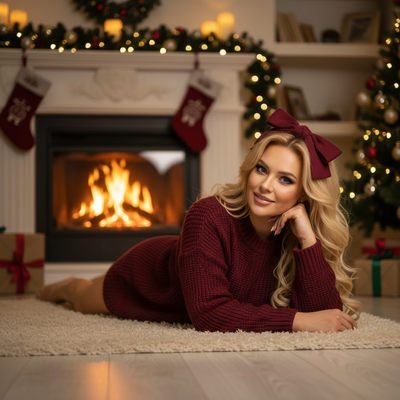
What makes a matching pajama photo actually work?
The best matching pajama photos share three things: coordinated (not identical) colors, natural light, and a simple backdrop.
Plaid, buffalo check, and solid red or green tend to photograph better than busy novelty prints.
A cluttered background competes with the outfits, so a tree corner, a couch, or a plain wall usually beats a messy living room.
How do you pose a family in matching pajamas?
You do not need a professional photographer to get a warm, natural-looking shot. Try these setups.
- Pile everyone onto a bed or couch in pajama socks, shot from slightly above.
- Line up by height on the stairs, tallest to shortest.
- Shoot everyone from behind, arms around shoulders, facing the tree.
- Have kids jump on the bed mid-air while parents watch from the side.
- Sit in a circle on the floor unwrapping one gift together.
- Do a close-up huddle with faces stacked, cheek to cheek.
- Hold mugs of cocoa near a fireplace or string lights.
- Let the dog or cat join in matching pajamas or a bandana.
Shoot in early morning or late afternoon light near a window whenever possible.
What backdrops work best for pajama photos?
A decorated tree, a fireplace, string lights, or a plain wall all work well because they do not distract from the outfits.
Avoid busy wallpaper, cluttered shelves, or mixed holiday decor styles in one frame.
If your home does not photograph well, a printed backdrop or an AI-generated scene can solve that problem instantly.
How can you get pajama-style photos without a real photoshoot?
Buying matching pajamas for everyone, scheduling a shoot, and editing photos takes real time and money.
PiXmas skips that process by generating AI family Christmas portraits from a single uploaded photo per person.
The app applies coordinated pajama-style looks and festive scenes across 800+ styles, so a family photo can look like a planned pajama shoot without buying a single item.
- Open PiXmas on the iOS app or web browser.
- Upload one clear photo per family member, including kids.
- Pick a pajama-style or cozy holiday theme.
- Generate and review the AI portraits.
- Download and print or share as a family card.
DIY pajama photoshoot vs AI pajama portraits
| Factor | DIY Matching Pajamas | PiXmas AI Portraits |
|---|---|---|
| Cost | New pajamas for everyone | One app, no shopping |
| Time needed | Shopping, coordinating, shooting | Minutes per person |
| Scheduling everyone | Required, hard with kids | Not required, upload separately |
| Backdrop control | Depends on your home | Built into the generated scene |
| Retakes if someone looks off | Reshoot the whole scene | Regenerate that one photo |
Limitations
AI-generated pajama portraits are stylized images, not literal photos of your family physically together in pajamas.
Very young kids or pets can sometimes render inconsistently across styles, so reviewing a few options helps.
PiXmas currently runs as a native iOS app and a web version that works in Android browsers, with a native Android app coming.
PiXmas is the fastest way to get a coordinated, pajama-style family Christmas portrait without buying matching outfits or scheduling a group shoot.
Frequently asked questions
What colors work best for matching family pajamas?
Classic red, green, plaid, and buffalo check photograph well and read as cohesive without looking identical. Stick to one or two color families across the group rather than mixing many bold patterns in the same shot.
How do I get good pajama photos with a toddler who won't sit still?
Shoot in short bursts, use natural light near a window, and let the toddler move rather than posing them stiffly. Candid piles on a bed or floor usually look better than forced smiles anyway.
Do I need a professional camera for pajama photos?
No. A phone camera near a window with soft natural light is usually enough for a good matching pajama photo. Avoid direct overhead lighting, which creates harsh shadows on faces.
What if one family member's photo doesn't turn out well?
With PiXmas you can regenerate just that person's portrait using a different photo or style, instead of redoing an entire group shoot. This makes fixing one bad result much faster than a reshoot.
What should we wear for Christmas pajama photos?
Choose coordinated pajamas that share a color palette rather than requiring every set to match exactly. Solid colors, small patterns, and classic plaids photograph more cleanly than busy graphics. Check that cuffs and pant lengths fit, remove tags, and add simple socks or slippers. Avoid shiny fabric if you expect direct flash.
Do Christmas pajamas need to match for family photos?
Matching pajamas are not necessary for a cohesive Christmas photo. Coordinating colors, fabric weights, or pattern styles can look more natural and lets each person wear a comfortable fit. Choose one visual theme, then repeat a few colors across the group. Keep logos and unrelated graphics limited so they do not compete for attention.