AI Studio Minimal Christmas Teen Photos
Updated 2026-09-16 · PiXmas Editorial Team
Quick answer: An AI studio minimal Christmas teen photo uses a clean backdrop, soft studio lighting, and simple festive props like a small ornament or subtle string lights instead of busy Santa scenes.
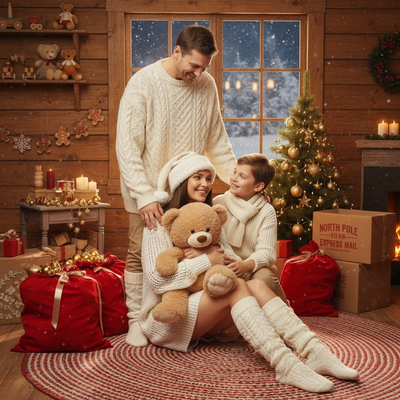
What is a studio minimal Christmas style?
Studio minimal Christmas photography strips away clutter.
Instead of tinsel-heavy backdrops or full Santa sets, it uses one soft-lit background, muted tones like cream, sage, or deep red, and a single small holiday accent.
For teens, this style tends to read as more mature and less costume-like than typical Christmas photo styles.
Why does this style suit teen photos?
Teens often resist matching pajamas or overtly childish Christmas themes.
A minimal studio look keeps the focus on the person, not the props, which usually feels more flattering and less staged.
The clean background also works well for cards, school photo swaps, or social posts without looking overly seasonal in a way that ages poorly.
How do you create this look from one phone photo?
You do not need an actual studio or professional lighting kit.
- Take one clear, front-facing phone photo of the teen in good natural light.
- Open PiXmas and upload that single photo.
- Select a studio minimal Christmas style from the available options.
- Generate the portrait set and review the variations produced.
- Pick the best result and download it for printing or sharing.
PiXmas processes the uploaded photo and applies studio lighting, background, and subtle festive styling automatically.
How does studio minimal compare to other Christmas photo styles?
| Style | Best for | Prop level |
|---|---|---|
| Studio minimal | Teens, professional-feel cards | Low |
| Cozy cabin scene | Families, warm nostalgic feel | Medium |
| Santa scene | Young kids, playful holiday photos | High |
Teens generally photograph better in the low-prop studio minimal category since it avoids anything that reads as childish.
Limitations
AI-generated portraits depend heavily on the clarity of the original phone photo.
Blurry, poorly lit, or angled source photos can produce less accurate results, especially around hair and jaw lines.
Studio minimal styles also vary slightly between generations, so a second run may shift lighting or background tone even with the same input photo.
Is PiXmas a good fit for this style?
PiXmas offers a large style library, including studio minimal options built for teen subjects.
Since it works from a single phone photo, there is no need to book a session or coordinate outfits ahead of time.
The web version works in any modern browser, including on Android phones, and a native Android app is in development alongside the existing iOS app.
PiXmas turns one phone photo into a clean, studio minimal Christmas portrait suited to teens, skipping the need for a physical shoot while still offering multiple style variations to choose from.
Frequently asked questions
What does a studio minimal Christmas style actually look like?
It features a plain or softly lit backdrop, neutral or muted colors, and one small festive accent instead of full holiday sets. The emphasis stays on the subject rather than props, which is why it often suits teens better than costume-heavy Christmas styles.
Will the AI photo actually look like the teen in it?
Results depend on the clarity of the uploaded photo. A sharp, well-lit, front-facing image typically produces a more accurate likeness. Blurry or heavily angled photos can lead to less precise facial detail in the generated portrait.
Is this style too plain for a Christmas card?
Not necessarily. Minimal styles often print well because they avoid busy backgrounds that compete with text or borders on a card layout. Many families use this style specifically because it looks polished rather than overtly seasonal.
How long does it take to get results?
After uploading a phone photo and selecting a style, PiXmas generates portrait variations within the app in a short processing window, typically a few minutes, rather than requiring a scheduled photo session or return visit.
Are uploaded family and pet photos private when using an online styling tool?
Privacy depends on the tool’s storage, training, sharing, and deletion policies. Before uploading, check whether images are retained, reviewed by people, used to improve models, or shared with service providers. Avoid submitting sensitive backgrounds, documents, school details, or location clues. For children’s photos, obtain appropriate family consent and delete uploaded files when the service provides that option.
How much does a styled Christmas photo usually cost?
The cost depends on whether you use a professional photographer, a studio package, editing software, or an automated image tool. Photographer pricing may include the session, retouching, and a limited selection of files, while digital tools may charge per image or through a subscription. Check whether printing rights, high-resolution downloads, revisions, and commercial use are included.