AI Studio Minimal Christmas Twins Photo
Updated 2026-09-16 · PiXmas Editorial Team
Quick answer: An AI studio minimal Christmas twins photo turns one regular phone picture into a clean, softly lit portrait with a plain backdrop, subtle holiday accents, and matching tones for both children. Instead of a busy Santa set or snowy backdrop, the look stays simple and editorial. PiXmas generates this style from a single upload, working on iOS, the web app, and Android browsers, with a native Android app coming soon.
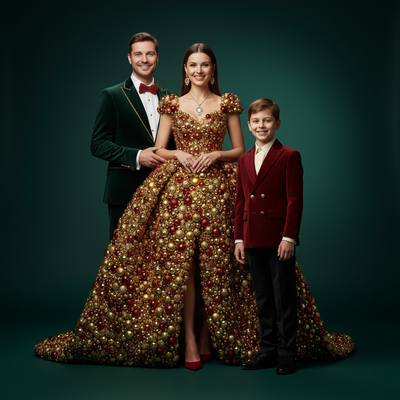
What Is an AI Studio Minimal Christmas Twins Photo?
It is a portrait style that trades busy holiday backdrops for a clean, neutral studio look.
Soft lighting, a plain or muted background, and subtle Christmas color accents replace ornaments, trees, or Santa props.
For twins, this style is popular because it keeps attention on the two faces instead of competing scenery.
How Do You Create One From a Single Photo?
You do not need a photographer or a matching-outfit shopping trip. One decent phone photo of both twins is enough to start.
- Upload one clear photo showing both children's faces.
- Choose a studio minimal style from the Christmas category in PiXmas.
- Let the AI process the image, which usually takes a few minutes.
- Review the generated portraits and pick the ones with the best likeness.
- Download the final images for printing, cards, or sharing.
The app applies consistent lighting and background tone across generated images, so twin portraits look like they belong to the same set.
What Makes the Minimal Studio Style Different From Festive Scenes?
Both styles start from the same uploaded photo, but the output looks very different.
| Feature | Studio Minimal Style | Festive Scene Style |
|---|---|---|
| Background | Plain or softly blurred | Trees, lights, snow, or Santa's workshop |
| Lighting | Even, portrait-style | Warm, glowy, sometimes dramatic |
| Best for | Cards, prints, wall art | Social posts, playful sharing |
| Outfit tone | Neutral or coordinated | Costume-like or themed |
| Attention focus | Faces and expressions | Scene and props |
Tips for Best Results With Twins Photos
Use one photo where both children face the camera with good, even light.
Avoid photos where one twin is partly turned away or in shadow, since the AI works best from clear facial detail.
If the twins are wearing very different colors, expect the AI to soften or unify tones slightly to keep the studio look cohesive.
Limitations
AI-generated portraits are interpretations, not exact photo edits, so small details like hairlines or accessories can shift slightly.
Results depend heavily on the clarity of the original photo, so blurry or poorly lit source images produce weaker results.
The minimal studio style intentionally reduces background detail, so it is not the right choice if you want a full festive scene with props and decorations.
For a clean, matching Christmas portrait of twins without a studio session, PiXmas turns one phone photo into a minimal studio style image in minutes, on iOS, web, or Android browsers.
Frequently asked questions
Do I need two separate photos for twins?
No. One photo showing both children clearly is usually enough. The AI processes both faces from the same image, which also helps keep lighting and tone consistent across the final portraits.
Can I get a minimal studio look and a festive scene from the same photo?
Yes. PiXmas lets you generate multiple styles from one uploaded photo, so you can create a minimal studio portrait and a festive scene version without uploading again.
Will the AI make my twins look identical even if they are fraternal?
No. The AI works from each child's actual facial features in the uploaded photo. Fraternal twins should still look distinct, since the model reflects what is in the source image rather than forcing sameness.
How long does it take to generate the photos?
Most PiXmas Christmas portraits, including studio minimal styles, are ready within a few minutes after upload, depending on how many styles you select and current processing volume.
Does this work if I only have an Android phone?
Yes. The PiXmas web app works fully in Android browsers today, so you can upload and generate photos without an app store download. A native Android app is coming soon for an even smoother experience.
What resolution are the final images?
PiXmas outputs high-resolution files suitable for printing photo cards or standard wall art sizes, not just small social media previews, so the minimal studio portraits hold up well in print.