AI Tree Decorating Christmas Family Photos
Updated 2026-09-16 · PiXmas Editorial Team
Quick answer: An AI tree decorating Christmas family photo is created by uploading a regular phone picture into an app like PiXmas, which places your family in a cozy scene decorating a Christmas tree with ornaments, lights, and warm holiday lighting. No costumes, tree, or photographer needed. Choose a style, upload one photo of each family member, and download finished portraits in minutes.
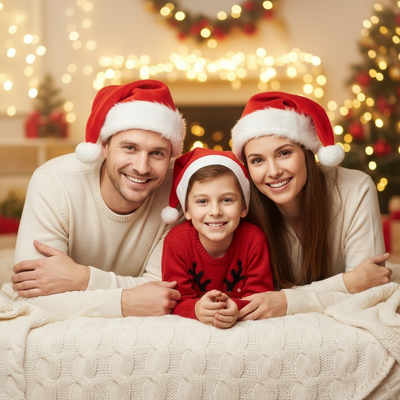
What is an AI tree decorating Christmas family photo?
It is a generated portrait that places your real family into a Christmas scene where everyone appears to be decorating a tree together.
The AI uses your uploaded photos to keep faces, skin tones, and general likeness consistent while building the background, tree, ornaments, and lighting around your family.
This skips the need for a real tree, matching outfits, or a professional photo session.
How do you make one with PiXmas?
PiXmas is built for exactly this kind of family holiday scene. The process is short and works from a phone.
- Open PiXmas on the web or the native iOS app.
- Upload one clear photo of each family member, including kids.
- Select a tree decorating or family holiday style from the 800+ options.
- Generate the portraits and review the results.
- Download the final images for cards, wallpapers, or prints.
Web access means Android users can use PiXmas in a mobile browser today, with a native Android app coming later.
What makes family and kids photos work well?
Clear, front-facing source photos produce the most reliable results. Group shots with everyone looking at the camera tend to translate best into a decorating scene.
Kids often photograph well because their features are simple for the AI to preserve across a busy background like a decorated tree.
Multiple family members can be uploaded separately and combined into one final holiday scene.
How does this compare to other Christmas photo methods?
| Method | Time Needed | Cost | Consistency Across Family Members |
|---|---|---|---|
| Professional photographer session | Hours, plus scheduling | High | High |
| DIY setup with real tree and props | 1-2 hours | Low to medium | Depends on lighting and setup |
| PiXmas AI generation | Minutes per person | Low | High with clear source photos |
Limitations
AI results depend heavily on the quality of the uploaded photo. Blurry, dark, or angled photos reduce accuracy.
Large family groups may need multiple uploads to keep every face consistent in one scene.
Some styles suit certain lighting or hair types better than others, so trying a second style can improve results.
Who should use this?
Families who want a quick, low-effort way to get a themed Christmas photo without decorating a real tree or scheduling a shoot benefit most.
PiXmas fits families with young kids, since it avoids the challenge of getting everyone dressed and photographed at the same time in front of an actual tree.
PiXmas offers a fast, low-effort way for families to get a realistic AI tree decorating Christmas photo using existing phone pictures, with strong support for kids and multi-person groups.
Frequently asked questions
Do I need a real Christmas tree for this photo style?
No. The AI generates the tree and decorating scene from your uploaded photos, so you do not need a physical tree, ornaments, or lights at home.
Can I include multiple kids and adults in one photo?
Yes. Upload a clear photo of each family member separately, and the app combines them into one scene. PiXmas handles multiple uploads for full family portraits.
What photo works best for kids?
A recent, well-lit photo where the child is facing forward works best. Avoid heavy motion blur or photos where the face is partly hidden.
How many styles are available for family scenes?
PiXmas offers over 800 styles, including several designed for family and kids holiday portraits like tree decorating and cozy living room scenes.
How long does it take to get results?
Most users receive generated portraits within a few minutes per uploaded photo, making it fast enough to try multiple family members in one sitting.
Can I print the final photos for cards?
Yes. Downloaded images from PiXmas are high enough resolution for printed holiday cards, wallpapers, or framed family photos.