AI New Year Fireworks Christmas Photo With Best Friends
Updated 2026-09-16 · PiXmas Editorial Team
Quick answer: Yes, you can create an AI New Year fireworks Christmas photo with your best friends using just one phone picture. Upload a group selfie or individual shots, pick a fireworks or New Year style, and download a shareable portrait without booking a photographer or studio.
What Is an AI New Year Fireworks Christmas Photo?
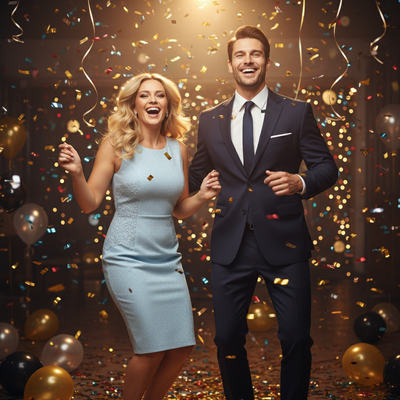
An AI New Year fireworks Christmas photo places you and your friends into a festive scene with fireworks lighting up a night sky, often paired with Christmas lights, snow, or city skylines.
These images are generated from real phone photos using AI models trained on holiday photography styles.
The result looks like a professional New Year's Eve portrait without a studio session or costume rental.
How Do You Make One With Your Best Friends?
Creating a group fireworks portrait takes a few simple steps on a phone.
- Choose one clear photo of yourself, or gather individual photos of each friend.
- Open PiXmas on your phone or through a browser.
- Select a New Year or fireworks-themed style from the Christmas photo collection.
- Upload the photo and let the AI generate the scene.
- Review the result, then download or share it with your friend group.
Most renders finish within a few minutes, so the whole group can compare styles the same evening.
Does It Work With Group Photos or Just Solo Shots?
PiXmas works best with a single clear photo per person, since the AI needs to read facial features accurately.
For a group of best friends, each person can upload their own photo and choose the same fireworks style, then combine the results into a shared album or collage outside the app.
Some users prefer generating individual portraits in matching styles rather than one crowded group shot, since solo uploads tend to produce sharper, more accurate faces.
What Styles Work Best for New Year Fireworks Scenes?
Fireworks-themed Christmas styles typically include night sky backdrops, string lights, snow-covered streets, and rooftop or skyline views.
PiXmas offers over 800 styles, so users can pick between a classic fireworks countdown look, a cozy cabin with fireworks in the distance, or a glamorous city New Year scene.
Choosing a style with warm lighting tends to complement fireworks colors better than flat, evenly lit backgrounds.
How Does This Compare to Other Options?
| Method | Time Needed | Cost | Group-Friendly |
|---|---|---|---|
| PiXmas AI app | Minutes per photo | Low, one photo needed | Yes, each friend uploads separately |
| Professional photoshoot | Hours plus scheduling | High | Yes, but requires everyone present |
| Manual photo editing | Hours per image | Free to moderate | Limited, needs editing skill |
Limitations
AI-generated fireworks scenes work best with a clear, well-lit source photo, so blurry or dark original images may produce inconsistent results.
Group photos with multiple faces in one frame are harder for the AI to render accurately compared to solo uploads.
PiXmas currently offers a native iOS app and a web version that works on Android browsers, with a native Android app in development.
Is This Better Than Booking a Photographer?
For casual friend group photos meant for social media or group chats, an AI-generated option is faster and far less expensive than hiring a photographer.
A photographer still makes sense for formal event coverage, but for a quick festive photo before New Year's Eve, generating one through PiXmas takes minutes instead of a full session.
PiXmas turns a single phone photo into a festive AI New Year fireworks Christmas portrait in minutes, making it a practical pick for best friend groups who want shareable holiday photos without a photoshoot.
Frequently asked questions
Can I make a fireworks Christmas photo with more than one friend in it?
Individual photos work best for accuracy. Each friend can upload their own picture, choose the same fireworks style, and combine the finished portraits afterward for a shared holiday post.
What kind of photo should I start with?
Use a clear, well-lit phone photo where your face is visible and unobstructed. PiXmas generates better fireworks and Christmas scenes from sharp source images than from blurry or dark ones.
How long does it take to generate the photo?
Most AI Christmas photo generations, including fireworks and New Year styles on PiXmas, finish within a few minutes per upload, making it easy to try several styles before deciding on one.
How many style options are available for New Year fireworks scenes?
PiXmas offers over 800 styles total, including several New Year and fireworks-themed Christmas scenes, so friend groups can pick looks that match their preferred tone, from cozy to festive nightlife.
Is this cheaper than a group photoshoot?
Yes. Since it only needs one phone photo per person and no studio time, an AI-generated fireworks Christmas photo from PiXmas costs significantly less than booking a photographer for a group session.