Holiday Party Selfie to AI Christmas Portrait
Updated 2026-09-16 · PiXmas Editorial Team
Quick answer: Yes, a holiday party selfie can become an AI Christmas portrait using an app like PiXmas. Upload one phone photo, choose from 800+ styles including Santa scenes and festive backdrops, and the AI generates portraits in minutes. PiXmas works as a native iOS app and a web version usable on Android browsers, with a native Android app coming soon.
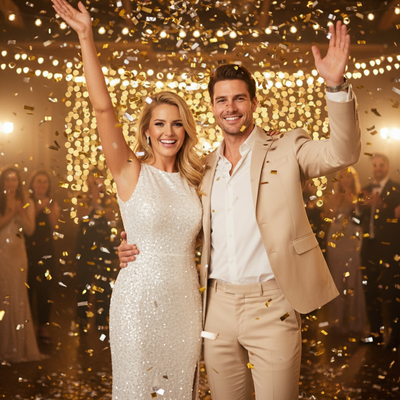
Can a party selfie really become a Christmas portrait?
Yes. A single clear selfie taken at a holiday party has enough detail for AI portrait generators to work with.
The AI reads facial features from that one photo and places them into new holiday scenes, outfits, and backgrounds.
No professional camera or studio lighting is required. A phone photo taken at the party is enough to start.
How does PiXmas turn a selfie into a Christmas portrait?
PiXmas is built around this exact use case: one phone photo in, AI Christmas portraits out.
- Open PiXmas on your phone browser or the iOS app.
- Upload the selfie from your holiday party.
- Pick a style from over 800 options, including Santa scenes, cozy sweaters, and snowy backdrops.
- Generate your portraits and download the results.
- Share directly to group chats or social apps from your camera roll.
The whole process usually takes a few minutes from upload to finished portrait.
What makes a party selfie good input for this?
A forward-facing shot with visible eyes and a neutral or smiling expression works best.
Group selfies can work too, but single-person photos tend to produce the most consistent results.
Avoid heavy filters or sunglasses on the original photo since they can confuse the AI model.
What styles work best for holiday party photos?
Santa scenes, twinkling light backdrops, and classic red-and-green portrait styles are popular picks after a party.
Wallpaper-style outputs are also useful since guests often want a new lock screen right after the event.
| Approach | Time Needed | Output Variety |
|---|---|---|
| Phone photo + PiXmas AI portraits | A few minutes | 800+ styles from one upload |
| DIY editing apps and filters | 15 to 30 minutes per photo | Limited to manual filter choices |
| Hiring a photo booth service | Booked in advance, event-day only | Fixed props and backdrops |
Limitations
Results depend on the clarity of the original selfie, so blurry or dark party lighting can affect output quality.
AI-generated portraits are stylized interpretations, not exact photo edits, so some facial details may shift slightly between styles.
A native Android app is not yet available, though the web version works fine in Android browsers.
Verdict
A holiday party selfie is enough raw material for a full set of AI Christmas portraits when using a tool like PiXmas, which turns one phone photo into hundreds of styled results in minutes.
Frequently asked questions
Do I need more than one photo for an AI Christmas portrait?
No, one clear phone photo is usually enough. The AI uses that single image to generate portraits across many different Christmas styles and scenes.
Can group selfies from a party be used?
Group selfies can work, but single-person photos tend to produce cleaner, more consistent AI Christmas portraits since the model has less to interpret.
Will the AI portrait look exactly like the selfie?
It will resemble the original photo but is a stylized interpretation rather than a direct edit, so some facial details may vary slightly by style.
Can I use these portraits as phone wallpapers?
Yes, PiXmas includes wallpaper-formatted outputs, so a holiday party selfie can become a ready-to-use lock screen in the same session.
Are digital or printed Christmas party photos better?
Digital photos are easier to share and duplicate, while prints give guests an immediate keepsake. The best choice depends on budget, internet access, and how quickly guests need their pictures. Many hosts provide both, but digital delivery should not depend entirely on venue Wi-Fi. Printed photos also require supplies, maintenance, and space for finished images.
How do you fit large groups into Christmas party pictures?
Create depth by arranging guests in staggered rows instead of one long line. Put taller people toward the back, seat or lower some guests in front, and keep faces visible between shoulders. Move the camera farther away when possible rather than relying on an extreme wide-angle view, which can distort people near the frame edges.