Christmas Photo Booth Ideas at Home
Updated 2026-09-16 · PiXmas Editorial Team
Quick answer: The easiest Christmas photo booth ideas at home skip props and backdrops entirely. For a physical setup, a string-light backdrop, tripod, and free printable props also work well for parties.
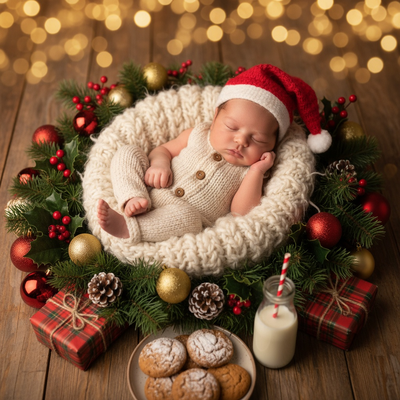
What makes a good Christmas photo booth at home?
A good home photo booth needs three things: a backdrop, decent lighting, and a way to take the photo without waiting on someone else.
Traditional setups use a bedsheet, string lights, and printed props taped to sticks.
Digital setups skip the physical build and use an app to generate the Christmas scene instead.
What are the best DIY photo booth ideas?
- Hang string lights against a plain wall for an instant glowing backdrop.
- Use a red or green bedsheet as a low-cost smooth background.
- Print simple props like Santa hats, mustaches, and speech bubbles on cardstock.
- Set a tripod or stack of books to hold the phone steady.
- Use a self-timer or Bluetooth remote so everyone can be in the shot.
How does an AI app replace a physical booth?
Instead of building a backdrop, apps like PiXmas generate one.
You upload one existing phone photo and PiXmas applies an AI Christmas scene, from Santa suits to snowy backdrops to wallpaper-style portraits.
There are more than 800 styles, so results do not repeat across a big family group.
This works well for guests who cannot make it to an in-person party, since anyone can submit a photo from their own phone.
DIY setup vs AI app: which is easier?
| Factor | DIY Photo Booth | PiXmas AI App |
|---|---|---|
| Setup time | 30-60 minutes | Under 5 minutes |
| Materials needed | Backdrop, lights, props, tripod | One phone photo |
| Space required | Wall or corner | None |
| Works for remote guests | No | Yes, photo submitted online |
| Style variety | Limited to props on hand | 800+ AI styles |
Can you combine both approaches?
Yes. A physical backdrop is still fun for candid group shots during the party.
PiXmas can then be used separately to generate polished individual portraits, Santa scenes, or wallpapers that guests take home digitally.
This gives a party both the in-person moment and a shareable digital keepsake.
Limitations
PiXmas is a web app usable on any phone browser, including Android, with a native iOS app already available and a native Android app coming soon.
Results depend on the quality of the uploaded photo, and a clear, front-facing shot works best.
Physical booths still offer real-time group interaction that a single-photo app cannot replicate.
For home Christmas parties, pair a simple string-light backdrop for group shots with PiXmas for fast, varied AI portraits that any guest can generate from their own phone.
Frequently asked questions
What props do I need for a Christmas photo booth?
Basic props include Santa hats, reindeer antlers, printed mustaches, and speech bubble signs. A backdrop of string lights or a colored bedsheet finishes the setup. These can be made at home with cardstock, tape, and wooden sticks in under an hour.
Can I make a photo booth without buying anything?
Yes. Use household items like a plain wall, existing string lights, and a phone propped on books or a stack of boxes. Free printable prop templates are widely available online to cut out and use immediately.
How can you print Christmas photo-booth pictures at the party?
Use a compatible photo printer connected to the booth device, then test the complete capture-to-print process before the event. Confirm paper, ink or ribbon, image orientation, cropping, and connection stability. Keep replacement supplies nearby and offer digital delivery as a backup because printer jams, depleted materials, or wireless interruptions can delay on-site printing.
How much does a Christmas party photo booth cost?
The cost depends on whether you build a self-serve station, rent equipment, or hire an attended booth with on-site printing. Compare quotes for the backdrop, lighting, camera, delivery, setup, attendant time, print supplies, and digital gallery. A phone-based setup using decorations you already own is usually the lowest-cost approach.
Are digital or printed Christmas party photos better?
Digital photos are easier to share and duplicate, while prints give guests an immediate keepsake. The best choice depends on budget, internet access, and how quickly guests need their pictures. Many hosts provide both, but digital delivery should not depend entirely on venue Wi-Fi. Printed photos also require supplies, maintenance, and space for finished images.
Can blurry or poorly lit Christmas party pictures be fixed afterward?
Some problems can be improved, but editing cannot fully restore missing focus or severely lost detail. Basic adjustments can correct modest exposure issues, color casts, cropping, red-eye, and small distractions. Strong motion blur, blocked faces, harsh shadows, and very dark files have limited recovery, so test lighting and camera stability before the party starts.