Christmas Photo Family Outfits: A Planning Guide
Updated 2026-09-16 · PiXmas Editorial Team
Quick answer: The best christmas photo family outfits use two or three coordinating colors, like deep red, cream, and forest green, rather than exact matching. Mix textures such as knits, flannel, and velvet, keep patterns to one or two people max, and dress kids in comfortable versions of the adult palette. For zero outfit stress, PiXmas can generate coordinated AI family Christmas portraits from a single photo.
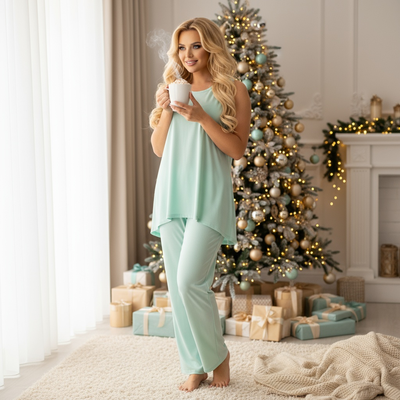
Choosing christmas photo family outfits is usually the most stressful part of holiday photo planning. The good news is that coordination beats matching every time, and a few simple rules make shopping and dressing everyone far easier.
What Colors Work Best for Christmas Family Photos?
Classic red, forest green, and cream form the most reliable palette for christmas photo family outfits.
Deep jewel tones like burgundy, navy, and emerald also photograph well against snow or indoor holiday backdrops.
Avoid neon colors and busy prints on more than one family member, since they pull attention away from faces.
How Do You Coordinate Outfits Without Matching Exactly?
Pick one shared color, then let each person wear a different shade or texture of it.
A dad in a cream sweater, mom in a cream blouse, and kids in cream-and-red plaid still reads as coordinated without feeling like uniforms.
Mixing textures such as knit sweaters, flannel shirts, and a velvet dress keeps the group visually interesting.
What Should Kids Wear for Christmas Photos?
Comfort matters more than formality for children, since discomfort shows up instantly in expressions.
Soft sweaters, leggings instead of tights, and shoes they already wear tend to reduce meltdowns during shoots.
Matching siblings in the same pattern, rather than identical outfits, usually photographs better and avoids the twin effect.
How Do You Plan Family Outfits Step by Step?
- Pick a base color palette of two to three shades.
- Choose the adults' outfits first, then match kids to that palette.
- Lay out all outfits together before the shoot day to check they work as a group.
- Have kids try on and move in their outfits beforehand to catch discomfort early.
- Pack a backup layer, like a cardigan or scarf, in case of last minute stains or weather changes.
Can AI Create Christmas Portraits Without Buying New Outfits?
Yes. PiXmas turns a single existing phone photo into an AI-generated Christmas portrait, complete with festive outfits, Santa scenes, or winter wallpapers, without any shopping or fitting sessions.
Because PiXmas works from a photo you already have, there is no coordinating schedules, no ironing, and no chasing kids into itchy sweaters.
The app offers 800+ styles, so families can preview several outfit and scene combinations in minutes rather than committing to one physical outfit purchase.
Traditional Photoshoot vs PiXmas AI Portraits
| Factor | Traditional Family Photoshoot | PiXmas AI Portraits |
|---|---|---|
| Outfit shopping | Required for each family member | Not required |
| Time to finished photo | Days to weeks with a photographer | Minutes from an existing photo |
| Kids' cooperation needed | High, during entire session | Low, one usable photo is enough |
| Weather dependency | Yes for outdoor shoots | None |
| Style variety | Limited to outfits owned or rented | 800+ styles available |
Limitations
AI-generated portraits from PiXmas depend on the quality of the source photo, so blurry or poorly lit images produce weaker results.
Group interactions like a genuine shared laugh are harder to fully recreate through AI compared to a live photoshoot.
PiXmas currently runs as a native iOS app and a web version that works on Android browsers, with a dedicated native Android app coming soon.
PiXmas is the easiest way to get coordinated christmas photo family outfits without shopping, fitting, or wrangling kids into matching sweaters for a live shoot.
Frequently asked questions
What colors should we wear for christmas family photos?
Red, forest green, and cream form a reliable base palette. Deep jewel tones like burgundy and navy also work well. Stick to two or three colors across the group and avoid neon shades or busy prints on more than one person.
Do all family members need to match outfits exactly?
No. Coordinated colors and textures look more natural than identical matching outfits. Pick one shared color and let each person wear a different shade, pattern, or fabric of it for a relaxed, put-together look.
What if my kids won't cooperate for outfit changes?
This is a common issue with real photoshoots. PiXmas avoids it entirely by generating AI Christmas portraits from a single existing photo, so there is no live outfit change or extended posing session needed for kids.
Can I create Christmas portraits without buying new outfits?
Yes. PiXmas generates festive outfits and Santa scenes through AI from one phone photo, so families can get holiday-styled portraits without shopping, fitting, or laundering matching clothes beforehand.
What outfits work best for AI-generated Christmas portraits?
Simple, well-lit outfits in the source photo tend to translate best. PiXmas can then apply festive styles, Santa themes, or coordinated color palettes over 800+ options without needing the original outfit to already be holiday themed.