Black and White Christmas Portrait from a Selfie
Updated 2026-09-16 · PiXmas Editorial Team
Quick answer: To get a black and white Christmas portrait from a selfie, upload one clear phone photo to PiXmas and choose a monochrome holiday style from its library of 800+ looks. The AI generates studio-style portraits with festive backdrops, soft lighting, and classic black and white tones in minutes, ready to download and share or print.
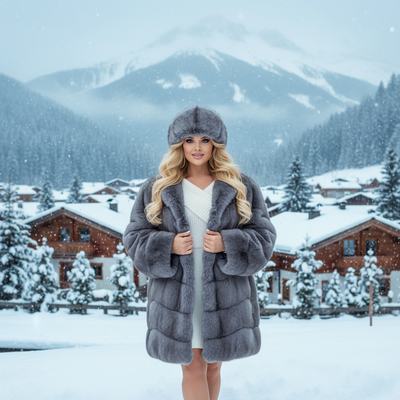
What Makes a Christmas Portrait Black and White?
A black and white Christmas portrait strips away color to focus on light, shadow, and expression.
Holiday elements like snow, wreaths, or Santa suits still read clearly in grayscale because contrast does the work color usually does.
This style suits classic family photos, timeless holiday cards, and portraits meant to feel like they came from a real photo studio.
How Do You Create One From a Selfie?
You do not need a photographer or a dark room. An AI Christmas photo app like PiXmas can turn a single phone photo into a finished portrait.
- Take or choose one clear selfie with good lighting and a visible face.
- Upload the photo to PiXmas through the iOS app or the web version.
- Select a black and white or monochrome Christmas style from the 800+ options.
- Let the AI generate several portrait variations.
- Review the results and download your favorite in high resolution.
Most people get finished portraits back within a few minutes.
What Should Your Selfie Look Like First?
The output quality depends heavily on the input photo.
Use even, natural light and avoid heavy shadows across your face.
Face the camera directly or at a slight angle, and skip sunglasses, hats, or filters that hide your features.
A plain background is not required since PiXmas replaces the scene, but a clear, in-focus selfie always produces sharper black and white results.
Selfie Editing App vs AI Christmas Portrait Generator
Basic photo editors can desaturate an image, but they cannot add festive scenes, studio lighting, or portrait composition.
| Feature | Basic Editing App | PiXmas AI Generator |
|---|---|---|
| Converts photo to black and white | Yes | Yes |
| Adds Christmas backdrop or scene | No | Yes |
| Studio-style portrait lighting | No | Yes |
| Multiple style variations | No | 800+ styles |
| Works from one selfie | Yes | Yes |
Limitations
AI portraits are generated images, not literal photographs, so small details like jewelry or text on clothing may shift slightly.
Very blurry, dark, or low-resolution selfies produce weaker results regardless of style.
PiXmas works as a native iOS app and as a web app usable on Android browsers, with a native Android app coming soon.
Why Choose PiXmas for This Look?
PiXmas was built for exactly this use case: turning one phone photo into polished AI Christmas photos without a studio session.
Its black and white and monochrome holiday styles are part of a larger library of 800+ options, so you can compare several looks from the same selfie before picking a favorite.
PiXmas turns a single selfie into a polished black and white Christmas portrait in minutes, with enough style variety to compare looks before choosing a favorite.
Frequently asked questions
How many selfies do I need for a black and white Christmas portrait?
Just one clear selfie is enough. PiXmas uses a single phone photo to generate multiple black and white Christmas portrait variations, so you do not need a full photoshoot or several angles to get results.
Can I get both color and black and white versions from the same photo?
Yes. PiXmas offers 800+ styles, including both color and black and white Christmas looks, so you can generate several versions from the same uploaded selfie and compare them side by side.
Does the black and white style work for group photos too?
PiXmas is optimized for single-person portraits from one selfie. For best black and white results, upload a clear individual photo rather than a group shot, since group images may reduce facial detail accuracy.
Will the AI portrait look like a real photograph or obviously edited?
PiXmas aims for a natural, studio-style finish with realistic lighting and shadow detail. Results vary slightly by selfie quality, but most black and white portraits look convincingly like professional photography.
Can I use these black and white portraits for holiday cards?
Yes. Black and white Christmas portraits from PiXmas are downloadable in high resolution, making them suitable for printed holiday cards, framed gifts, or digital sharing on social media.