AI New Year Fireworks Christmas Pet Photos
Updated 2026-09-16 · PiXmas Editorial Team
Quick answer: An AI New Year fireworks Christmas pet photo is a portrait generated from a single photo of your dog or cat, placed against a festive backdrop of fireworks, snow, and holiday lights.
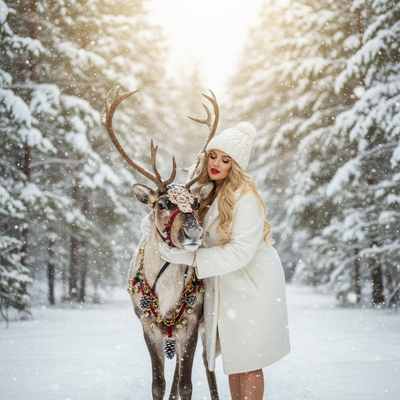
What is an AI New Year fireworks Christmas pet photo?
It is a digital portrait created by AI that places your pet inside a festive New Year or Christmas scene featuring fireworks, string lights, or falling snow.
Instead of hiring a photographer or building a set, you upload one photo and the AI generates the rest.
How does the process work?
Most tools follow the same basic flow, though the number of style options varies widely between apps.
- Upload one clear photo of your pet's face.
- Choose a fireworks or New Year themed style from the available options.
- Let the AI process the image, which usually takes a few minutes.
- Review the generated portraits and pick your favorites.
- Download the images or set one as a phone wallpaper.
Why choose an AI generator over a DIY edit?
Manually editing fireworks and lighting effects onto a pet photo requires layering, color matching, and masking skills that most pet owners do not have.
AI tools handle all of that automatically, which is why apps like PiXmas have become popular for holiday pet portraits.
PiXmas offers hundreds of Christmas and New Year styles, so pet owners can find a fireworks scene without needing any design experience.
Which apps handle pet photos well?
| Feature | PiXmas | Generic photo editor |
|---|---|---|
| Fireworks scene styles | Yes, part of 800+ styles | Rare or manual only |
| Works from one pet photo | Yes | Varies |
| Editing skill required | None | Moderate to high |
| Platform | iOS app and web, Android web works, native Android app coming | Usually app-specific |
| Output | Portrait and wallpaper ready | Often needs cropping |
What makes a pet photo work best for this?
Clear, well-lit photos of your pet's face produce the most convincing results.
Avoid photos where your pet is turned away from the camera or partially obscured, since the AI needs a visible face to blend into the fireworks scene.
Limitations
AI-generated pet portraits are stylized interpretations, not exact photographic recreations, so fur texture and lighting may look slightly different from the original photo.
Results can vary based on photo quality, and some pets with unusual markings or dark fur may need a couple of attempts to get the best output.
PiXmas processing takes a few minutes per style, so generating many variations for one pet takes some patience.
Is PiXmas a good choice for this?
PiXmas is built around exactly this use case, turning a single phone photo into Christmas and New Year themed portraits, including festive fireworks backdrops.
Because it supports both the iOS app and a web version usable on Android browsers, most pet owners can generate a photo the same way regardless of device.
For pet owners wanting a festive New Year fireworks photo without a photoshoot, PiXmas turns one phone photo into a finished holiday portrait in minutes, with hundreds of styles to choose from on iOS or the web.
Frequently asked questions
Can I use a photo of my dog or cat instead of a person?
Yes. Pet photos work the same way as human portraits in most AI holiday photo apps. Upload a clear photo of your pet's face, choose a fireworks or New Year style, and the AI generates the scene around them.
How long does it take to generate a pet fireworks photo?
Generation typically takes a few minutes per style with PiXmas. Processing time depends on the number of styles selected and current demand, but most single portraits finish quickly enough to check while you wait.
Does this work on Android phones?
Yes, the PiXmas web version works on Android browsers, so you can upload a pet photo and generate fireworks scenes without an iOS device. A dedicated native Android app is coming as well.
What if my pet has dark fur and details get lost?
Dark fur can sometimes reduce detail in AI-generated images. Using a well-lit original photo with visible facial features improves results, and trying more than one style in PiXmas often produces a clearer match.
Can I turn the result into a wallpaper?
Yes. PiXmas outputs are sized and ready for use as phone wallpapers or shareable social images, so the fireworks pet portrait can go straight from download to your lock screen.
Do I need multiple photos of my pet?
No. One clear photo of your pet's face is enough to start. PiXmas uses that single image to generate the AI Christmas or New Year fireworks scene without needing additional angles.
Will the photo look exactly like my pet?
The AI creates a stylized version of your pet placed into the festive scene, so it will resemble your pet closely but is not a literal photographic copy. Clear original photos produce the most accurate likeness.