Pregnancy Christmas Announcement Photo Ideas
Updated 2026-09-16 · PiXmas Editorial Team
Quick answer: The best pregnancy Christmas announcement photos combine holiday props like ornaments, stockings, or Santa hats with a visible bump or ultrasound reveal. For a polished look without a photographer,
What makes a pregnancy Christmas announcement photo work?
A good announcement photo needs a clear focal point and a festive backdrop.
The bump, ultrasound, or a prop like a tiny stocking should be easy to spot in the first three seconds someone sees the image.
Lighting and styling matter more than expensive gear. A well-lit phone photo with a clean holiday theme often outperforms a cluttered professional shoot.
What are popular pregnancy Christmas announcement ideas?
Here are proven concepts that work across family styles and budgets.
- Extra stocking on the mantel labeled with a due date or Baby's first name.
- Ornament with a matching set for each family member, plus one new tiny ornament.
- Sibling shirts that read Big Brother or Big Sister under the tree.
- Ultrasound photo tucked inside a wrapped gift box.
- Santa hat placed on a growing bump with a chalkboard sign.
- Matching pajama photo with one extra small onesie laid out.
- AI-generated Santa scene showing the whole family, including the bump, in a cohesive holiday portrait.
How can I create a polished announcement without a professional shoot?
Not everyone has time to book a photographer during the holiday rush.
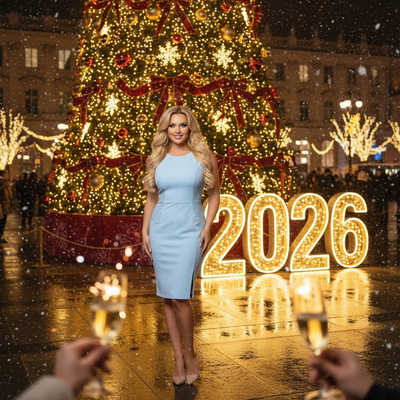
PiXmas lets you upload one phone photo and generates a styled Christmas portrait, Santa scene, or wallpaper using AI. You get a finished look without coordinating outfits, lighting, or a studio visit.
This works well for pregnancy announcements because you can generate several styles quickly and pick the one that fits your family's tone, from cozy and traditional to bright and playful.
DIY photoshoot vs AI-generated Christmas photo
| Factor | DIY Photoshoot | PiXmas AI Photo |
|---|---|---|
| Time needed | 1-3 hours setup and shooting | A few minutes per photo |
| Cost | Props, outfits, possible photographer fee | One phone photo, app subscription |
| Consistency | Depends on lighting and skill | 800+ styles generated instantly |
| Family coordination | Everyone must be present and dressed | Works from a single existing photo |
| Retakes | Limited by schedule | Unlimited style variations |
Limitations
AI-generated photos are stylized interpretations, not literal edits of your original image, so exact prop placement (like a specific ornament text) may not transfer perfectly.
Fine details like readable text on signs or stockings can sometimes render inconsistently, so review the output before sharing widely.
The native app is currently iOS, with the web version working fine on Android browsers and a dedicated Android app in progress.
How do I pick the best pregnancy announcement style?
Match the style to how you plan to share the photo.
For social media, brighter and more colorful Santa scenes tend to get more engagement. For printed cards or family keepsakes, a classic portrait style with soft lighting often looks better.
Try a few different looks from PiXmas before deciding, since generating multiple versions costs little time and helps you compare options side by side.
Pregnancy Christmas announcements work well with classic props like stockings and ornaments, but PiXmas offers a fast, low-effort way to generate a polished holiday photo from a single phone picture during a busy season.
Frequently asked questions
What is the most popular pregnancy Christmas announcement idea?
Extra stockings and ornaments remain the most common because they are simple, affordable, and photograph well. Sibling shirts announcing Big Brother or Big Sister are also popular for families with older kids, since they naturally include everyone in the reveal.
Can I make an announcement photo without hiring a photographer?
Yes. Many families use a single phone photo and enhance it with an app. PiXmas turns one photo into a styled Christmas portrait or Santa scene, which works well for a quick, shareable pregnancy announcement without scheduling a professional shoot.
How do I include an ultrasound in a Christmas photo?
Common options include tucking the ultrasound printout inside a wrapped gift box, placing it under the tree, or holding it next to a stocking. Some parents photograph the ultrasound alongside holiday props for a layered, meaningful shot.
Will the AI photo look exactly like my prop or sign text?
Not always. AI-generated images are stylized reinterpretations, so specific text on signs or ornaments may not render perfectly. It is best to review a few PiXmas outputs and pick the version that reads clearly before sharing.
What time of year should I take this photo?
Most families take pregnancy Christmas announcement photos in late November or early December, timed with holiday decorations already up. This also gives enough time to share the photo before Christmas Day.