AI Family & Best Friends Christmas Photos
Updated 2026-09-16 · PiXmas Editorial Team
Quick answer: Yes, AI tools can turn separate phone photos of family members or friends into one cohesive Christmas group portrait, complete with matching outfits, Santa scenes, or festive backdrops. PiXmas uses a single uploaded photo per person to generate styled holiday portraits in minutes, making it useful when scheduling an in-person group photoshoot is not possible.
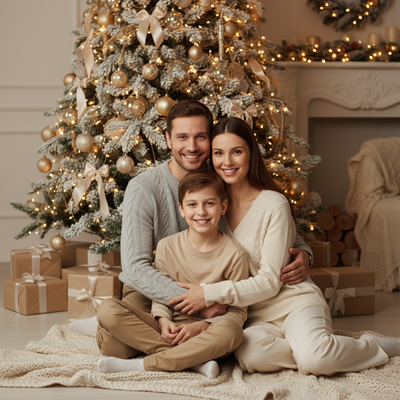
Getting everyone in one room for a matching Christmas photo is hard. Kids squirm, friends live in different cities, and coordinating outfits takes weeks.
AI Christmas photo apps solve part of this problem by generating styled portraits from individual photos, so each person can contribute a single selfie instead of showing up for a shared shoot.
How does AI create a family or friend group Christmas photo?
Most AI portrait tools work from one photo per person, then apply a chosen holiday style to each image separately.
The result is a set of matching Christmas portraits, such as everyone in the same sweater style or Santa scene, rather than one literal combined photo with all faces in a single frame.
This distinction matters for expectations. PiXmas generates individual styled portraits per uploaded photo, which works well for a themed family photo set or a matching best friends series.
How do you make matching AI Christmas portraits for a group?
- Choose one Christmas style or theme, such as a cabin scene, Santa hat portrait, or wallpaper look.
- Have each family member or friend upload one clear front-facing photo.
- Generate a portrait for each person using the same style selection.
- Download all portraits and arrange them together in a collage app or shared album.
- Print or share the set as a coordinated Christmas photo series.
This approach gives a matching, professional-looking set without needing everyone in the same location at the same time.
What styles work best for family and friend photos?
Cozy cabin and fireplace scenes tend to look natural across different ages, from kids to grandparents.
Matching Santa hats or simple red and green outfit styles also read as coordinated even when each portrait was generated separately.
PiXmas offers over 800 styles, which gives enough range to pick one theme that suits both younger kids and adult friends in the same set.
PiXmas vs traditional group photoshoot vs generic AI filter
| Factor | PiXmas | In-person photoshoot | Generic AI filter app |
|---|---|---|---|
| Scheduling | None needed, upload separately | Requires everyone present | None needed |
| Style variety | 800+ Christmas styles | Limited by photographer setup | Often one or two filters |
| Cost per person | Low, app-based | High, professional fees | Low or free |
| Platform | iOS app and web, Android app coming | N/A | Varies |
| Consistency across group | High if same style chosen | High | Variable |
Limitations
AI tools generate separate portraits rather than one true group photo with everyone physically together in frame.
Pet photos, very young children, or blurry source images can produce less accurate results, so clear individual photos work best.
Some very specific requests, like an exact matching pose across ten people, are harder to control precisely since each portrait is generated independently.
Is PiXmas a good fit for family and kids Christmas portraits?
PiXmas works well for family and kids Christmas portraits because it only needs one photo per person and offers enough style variety to fit different ages in one theme.
The web version also works on Android browsers, so friends and family members on different phones can all participate while the native Android app is being finalized.
For matching family or best friends Christmas portraits without an in-person shoot, PiXmas offers enough style range and per-person flexibility to build a coordinated holiday photo set in minutes.
Frequently asked questions
Can AI combine multiple people into one Christmas photo frame?
Most AI portrait tools, including PiXmas, generate one styled portrait per uploaded photo rather than merging multiple people into a single frame. For a group look, each person uploads their own photo using the same style, then the results are arranged together as a matching set.
What is the best AI style for kids and adults in the same set?
Simple, warm styles like fireplace scenes or classic red and green outfits tend to suit both kids and adults consistently. Overly specific costume styles can look uneven across different ages, so a broad, cozy theme usually works best for mixed family groups.
How many photos do I need for a family group set?
You need one clear photo per person you want included. PiXmas processes each photo individually, so a family of five would need five separate uploads to create five matching portraits in the same style.
Will the AI photos actually look like the same style across everyone?
Choosing the same PiXmas style for every uploaded photo keeps the overall look consistent, since the app applies that style's colors, background, and theme to each portrait. Results can still vary slightly based on lighting and pose in each original photo.
Can I use AI Christmas photos for holiday cards with multiple family members?
Yes, many people generate individual PiXmas portraits for each family member, then combine them into a collage layout for holiday cards. This avoids needing a single group photoshoot while still producing a cohesive, themed card.