AI Cozy Home Christmas Solo Photo Generator
Updated 2026-09-16 · PiXmas Editorial Team
Quick answer: An AI cozy home Christmas solo photo is a portrait generated from a single selfie, styled to look like you are relaxing by a fireplace, tree, or window in soft holiday light. PiXmas lets you upload one phone photo and produces multiple cozy-home Christmas variations across 800+ styles, ready for cards, wallpapers, or social posts without a photographer or props.
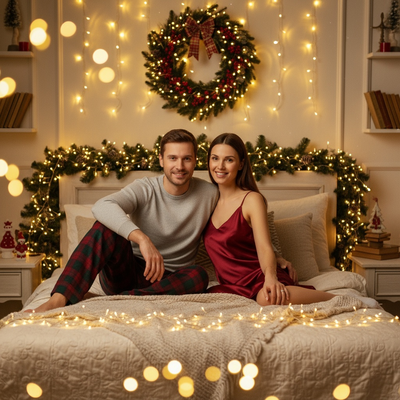
What Is an AI Cozy Home Christmas Solo Photo?
It is a portrait that places you in a warm, decorated home setting for the holidays.
Think knit sweaters, mugs of cocoa, string lights, and a softly lit tree in the background.
Instead of staging a room and shooting the scene yourself, an AI tool builds the setting around a photo you already have.
How Does It Work From a Single Selfie?
You do not need a fireplace, tree, or festive outfit on hand.
The AI reads your face and general pose from one clear photo, then renders a new cozy home scene around you.
Lighting, background, and outfit details are generated to match the chosen style, while your likeness stays recognizable.
How Do You Create One With PiXmas?
- Open PiXmas on your phone browser or the iOS app.
- Upload one clear, forward-facing selfie.
- Pick a cozy home Christmas style from the 800+ options, such as fireside, window-light, or tree-glow.
- Generate your set and preview the results.
- Download your favorites in full resolution for printing or sharing.
Most people get a finished set back in a few minutes.
What Makes a Good Source Photo?
Use a well-lit photo where your face is clearly visible and not turned too far to one side.
Avoid sunglasses, heavy shadows, or group shots since the AI works best with one clear subject.
A plain background in the original photo is not required, since PiXmas replaces the setting entirely.
Cozy Home Christmas Styles vs Other Christmas Photo Styles
| Style Type | Setting | Best For |
|---|---|---|
| Cozy home solo | Fireplace, tree, window light | Cards, profile photos, wallpapers |
| Santa scene | Workshop or sleigh backdrop | Playful family shares |
| Outdoor winter | Snow, string lights outside | Postcards, seasonal posts |
| Studio portrait | Plain backdrop, formal pose | Professional headshots with a festive touch |
What Can You Do With the Finished Photos?
Cozy home Christmas portraits work well as phone wallpapers, holiday card fronts, or profile pictures for the season.
Because PiXmas generates a full set per upload, you can pick different crops or poses for different uses without a second photo shoot.
Limitations
AI-generated portraits can occasionally soften fine details like jewelry, glasses, or patterned fabric.
Photos with poor lighting or extreme angles tend to produce weaker results, so a clear selfie matters.
Results are stylized renderings, not exact photographic reproductions of a real room or outfit.
For a cozy home Christmas solo photo without setting up a scene, PiXmas turns one phone selfie into multiple polished holiday portraits, making it a practical pick for this exact use case.
Frequently asked questions
Do I need a decorated home to get this style?
No. The AI generates the cozy home setting, including tree, fireplace, and lighting, so your actual room does not need any decorations at all.
How many photos do I need to upload?
One clear selfie is enough. PiXmas uses that single phone photo to generate a full set of cozy home Christmas portrait variations.
Can I use this on an Android phone?
Yes. PiXmas works through your phone browser on Android, and a native Android app is coming soon for an even smoother experience.
Will the photo actually look like me?
PiXmas keeps your facial features recognizable while restyling the background, lighting, and outfit to match the cozy home Christmas theme you choose.
How long does it take to get results?
Most uploads through PiXmas return a finished set of styled portraits within a few minutes, depending on how many styles you select.
Can I print these photos as holiday cards?
Yes. PiXmas outputs full-resolution images, so downloaded cozy home Christmas portraits work well for printed cards, canvas prints, or framed gifts.
What if my first photo does not turn out well?
Try a different selfie with better lighting and a clearer view of your face. Most quality issues come from shadows or an angled pose rather than the AI style itself.