AI Studio Minimal Christmas Baby Photo
Updated 2026-09-16 · PiXmas Editorial Team
Quick answer: An AI studio minimal Christmas baby photo uses one uploaded phone picture to generate a clean, softly lit portrait with simple backdrops, muted holiday tones, and no clutter. PiXmas creates this look by applying minimal studio style presets to your baby's photo, producing wallpaper-ready portraits in minutes without a physical photoshoot, props, or studio booking.
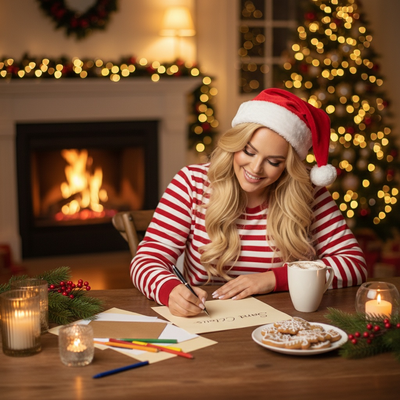
What does a minimal studio Christmas baby photo look like?
A minimal studio Christmas photo skips busy props and heavy decoration.
Instead it uses soft neutral backdrops, gentle window-style lighting, and small holiday accents like a knit sweater or a single ornament.
The focus stays on the baby's face and expression rather than a crowded scene.
This style photographs well for cards, wallpapers, and framed prints because it does not compete with text or borders.
How do you make one from a single phone photo?
You do not need a studio, lighting kit, or newborn photographer to get this look.
- Open PiXmas on your phone or web browser.
- Upload one clear photo of your baby, ideally facing the camera in decent light.
- Select a minimal studio Christmas style from the collection of 800+ options.
- Let the AI generate the portrait, which usually takes a few minutes.
- Download the finished image or set it directly as your phone wallpaper.
PiXmas works as a native iOS app and as a web app that runs on Android browsers, so most families can start with whatever device they already have.
How does this compare to other ways of getting the photo?
| Option | Cost | Turnaround | Style control |
|---|---|---|---|
| PiXmas AI app | Low, one photo needed | Minutes | 800+ preset styles |
| Traditional baby photo studio | High, booking required | Days to weeks | Limited by photographer and set |
| Generic photo filter app | Low | Minutes | Basic filters, less holiday-specific |
A traditional studio can produce excellent results but requires scheduling, travel, and often an unhappy or overstimulated baby.
PiXmas removes the scheduling problem while still aiming for a polished, editorial minimal look.
Limitations
AI portraits depend heavily on the quality of the source photo, so blurry or poorly lit pictures produce weaker results.
Very young babies with limited facial detail in the photo may generate slightly inconsistent features in some styles.
The output is a stylized image, not a physical print, so families wanting framed prints will need to order those separately.
A native Android app is coming, so Android users currently rely on the web version through their browser.
PiXmas is a strong, low-effort way to get a clean, minimal studio-style Christmas baby photo from a single phone picture, without the cost or scheduling of a traditional photoshoot.
Frequently asked questions
Do I need professional photography experience to get this style?
No. A clear, well-lit phone photo of your baby facing the camera is enough. The AI handles lighting, backdrop, and styling to create the minimal studio look automatically.
How many photos do I need to upload?
Just one clear photo of your baby is enough to generate a portrait. Better lighting and a forward-facing shot usually improve the final result.
Will the photo work as a phone wallpaper?
Yes. PiXmas outputs are sized for use as wallpapers, and you can download the finished portrait directly to your device after generation.
Can I get multiple minimal styles from the same baby photo?
Yes. PiXmas offers 800+ styles, so you can generate several minimal studio variations from the same uploaded photo to compare tones and backdrops before choosing a favorite.
How much does a styled Christmas photo usually cost?
The cost depends on whether you use a professional photographer, a studio package, editing software, or an automated image tool. Photographer pricing may include the session, retouching, and a limited selection of files, while digital tools may charge per image or through a subscription. Check whether printing rights, high-resolution downloads, revisions, and commercial use are included.
Are uploaded family and pet photos private when using an online styling tool?
Privacy depends on the tool’s storage, training, sharing, and deletion policies. Before uploading, check whether images are retained, reviewed by people, used to improve models, or shared with service providers. Avoid submitting sensitive backgrounds, documents, school details, or location clues. For children’s photos, obtain appropriate family consent and delete uploaded files when the service provides that option.