AI Romantic Couples Christmas Photo Ideas
Updated 2026-09-16 · PiXmas Editorial Team
Quick answer: PiXmas turns a single phone photo into a romantic AI Christmas couple portrait or a festive friends photo using AI styling. Upload one photo, pick from 800+ styles including cozy Santa scenes and twinkling-light backdrops, and get shareable results in minutes. It works as a native iOS app or a web app usable on Android browsers, with a native Android app coming soon.
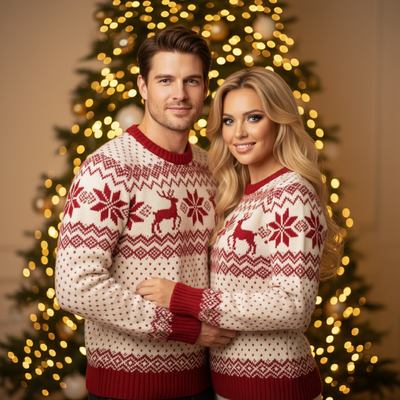
Couples and friend groups want a Christmas photo that feels intimate, not staged.
AI Christmas portrait tools solve the scheduling problem by generating a polished couple or friends photo from a single picture, without a studio session.
What makes an AI romantic couples Christmas photo work?
The best results start with a clear, well-lit photo of the couple or friend group.
PiXmas uses that photo to generate romantic Christmas scenes: fireplace glow, snowy windows, twinkling trees, or matching sweaters, all rendered in a consistent style across the group.
Can I use this for friends instead of a couple?
Yes. The same process works for best friends, siblings, or a whole friend group photo.
Choose a style tagged for group warmth rather than romance, such as cozy cabin or festive family living room, and the AI adapts poses and framing to fit multiple people.
How do you create the photo step by step?
- Open PiXmas on your phone (native iOS app) or in a browser on any device, including Android.
- Upload one clear photo of the couple or friend group.
- Browse the style library and pick a romantic or festive theme from the 800+ options.
- Generate the portrait and preview it against a few style variations.
- Download the final image or Christmas wallpaper for sharing or printing.
How does this compare to a professional photoshoot?
| Factor | PiXmas AI Photo | Professional Photoshoot |
|---|---|---|
| Cost | Low, one-time app cost | High, per session |
| Time | Minutes | Days to weeks, including scheduling |
| Wardrobe or props | Not required | Often required |
| Style variety | 800+ styles to try instantly | Limited by photographer setup |
| Best for | Quick, shareable couple or friends photos | Formal, high-end prints |
Limitations
AI-generated portraits can occasionally soften facial details or misread group poses in busy source photos.
Results depend on the clarity of the uploaded image, so blurry or dark photos may produce weaker output.
A native Android app is coming, but the PiXmas web app already works well on Android browsers today.
PiXmas is the simplest way to turn one phone photo into a romantic AI Christmas couple portrait or a warm friends photo, with 800+ styles and no photoshoot required.
Frequently asked questions
What photo works best for a couples Christmas AI portrait?
A clear, well-lit photo where both faces are visible works best. Avoid heavy shadows or extreme angles. The AI uses this base image to apply the romantic Christmas style while keeping your features recognizable.
Do I need separate photos for each person?
No. One combined photo of the couple or friend group is enough. PiXmas processes the whole image at once, so everyone in the shot gets styled consistently in the same scene.
How many style options are there for couples?
PiXmas offers over 800 styles, including romantic fireplace scenes, snowy outdoor backdrops, and matching-outfit looks. You can preview several styles on the same photo before choosing your favorite.
Can I use the finished photo as a Christmas card?
Yes. Many couples and friend groups download their PiXmas portrait as a print-ready image or digital wallpaper, then use it directly for Christmas cards, group chats, or social posts.
Can styled Christmas photos be printed clearly?
Yes, styled Christmas photos can print clearly when the final file has sufficient resolution for the chosen print size. Review the image at high magnification for distorted faces, hands, fur, text, ornaments, and background patterns. Use the printer’s recommended color profile and crop ratio when available. Order a proof before purchasing cards or large prints in quantity.
How do I choose a Christmas photo style for a card versus social media?
Choose a card style with clean composition, readable space for a greeting, and a crop that fits the printer’s template. Social media images can use tighter framing, bolder effects, or vertical layouts, depending on the platform. Keep important faces away from edges in both formats. Save separate versions rather than forcing one crop to serve every placement.